








Creating a home office that feels both cozy and productive can significantly enhance your work-from-home experience. Whether you’re new to remote work or simply want to refresh your current setup, designing a space that supports focus and comfort is key. In this post, we’ll explore practical tips to help you create a home office where you can be your best self every day.
Why a Cozy and Productive Home Office Matters
A well-designed home office isn’t just about appearances—it influences how you work and how you feel during your work hours. Comfort reduces distractions caused by discomfort or clutter, while productivity-friendly elements keep you organized and focused. Balancing both creates a space where work becomes more enjoyable and efficient.
Choosing the Right Location
Find a Dedicated Space
Try to select a specific area in your home to serve as your office. This helps separate work from personal life and signals to your brain that it’s time to focus when you enter this space.
Consider Natural Light
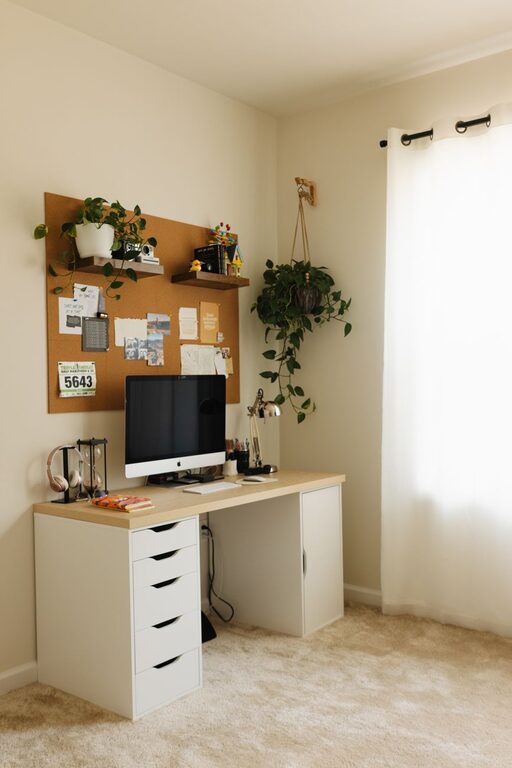
Position your desk near a window if possible. Natural light boosts mood and energy levels, reducing eye strain and improving focus.
Keep Noise Levels Low
Choose a quiet spot or use noise-cancelling headphones. A calm environment minimizes interruptions and helps maintain concentration.
Furnishing Your Home Office
Invest in an Ergonomic Chair
Comfortable seating supports good posture and reduces fatigue. Look for adjustable chairs with lumbar support to accommodate long hours.
Select a Functional Desk
Your desk should be spacious enough to hold your computer, documents, and other essentials without feeling cluttered. Adjustable or standing desks can offer added flexibility.
Add Storage Solutions
Shelves, filing cabinets, or decorative boxes keep your supplies organized and your workspace tidy. Clutter-free areas foster a clearer mind.
Creating a Cozy Atmosphere
Personalize Your Space
Add items that make you smile—photos, plants, or artwork. Personal touches can make the office feel welcoming and less sterile.
Use Soft Textures
A small rug, cushions, or a cozy throw can add warmth and comfort to your space, making it inviting to spend time in.
Optimize Lighting
Besides natural light, include adjustable desk lamps or soft overhead lighting to create a warm ambiance without glare.
Enhancing Productivity
Establish a Routine
Set regular working hours and breaks to create structure. This helps your mind switch between work and relaxation modes effectively.
Minimize Digital Distractions
Use website blockers or focus apps to reduce interruptions from social media or emails during work sessions.
Keep Supplies Within Reach
Organize essential items like pens, notebooks, and chargers close by to avoid unnecessary interruptions when you need them.
Incorporate Greenery and Fresh Air
Plants can boost mood, reduce stress, and improve air quality. Consider low-maintenance options like succulents or snake plants to add a touch of nature.
If possible, open windows to let in fresh air throughout the day to keep the environment fresh and invigorating.
Take Care of Your Wellbeing
Include Movement Breaks
Set reminders to stand up, stretch, or take short walks. Physical activity prevents stiffness and improves circulation.
Stay Hydrated and Nourished
Keep water, healthy snacks, and a lunch area nearby to maintain energy levels throughout the day.
Maintaining Your Space
Regular Cleaning
Wipe down surfaces and tidy your workspace daily to maintain a pleasant environment.
Reassess Periodically
Every few months, review your setup to identify what’s working and what could be improved to better meet your needs.
—
Creating a home office that is both cozy and productive involves thoughtful planning and attention to comfort, organization, and atmosphere. By following these tips, you can design a space that supports your best work while making your remote work experience enjoyable and sustainable.